Geo-Routing
Status: Unsupported in 0.2.0: dashboard manifest only. No canonical entitlement and no supported deployment contract.
:::danger Unsupported legacy concept
This page preserves a legacy dashboard concept. It has no canonical entitlement and no supported deployment contract. Do not infer a CRD, Operator reconciliation path, runtime implementation, or support commitment from the historical configuration and examples below.
:::
This page belongs to the immutable 0.2.0 Private Preview documentation.
At a glance
| Property | Value |
|---|---|
| Pipeline phase | Router |
| Category | Compliance |
| Canonical minimum tier | No canonical entitlement |
| Legacy dashboard tier label | Business |
| Legacy rendered name | Geo-Routing |
| Legacy rendered summary | Route queries to region-specific clusters for GDPR/data sovereignty compliance. |
| Canonical entitlement | No |
| Supported deployment contract | No |
| Release status | Unsupported in 0.2.0: dashboard manifest only. No canonical entitlement and no supported deployment contract. |
Release accuracy
- 0.2.0 Private Preview: Unsupported in 0.2.0: dashboard manifest only. No canonical entitlement and no supported deployment contract.
The detailed material below preserves every section rendered by the legacy dashboard. Where it conflicts with the release status above, the release status is authoritative. Legacy field names and examples are not a substitute for the selected bundle's CRD and runtime contract. Unsafe legacy wording is retained in metadata for traceability but is corrected in the rendered guidance.
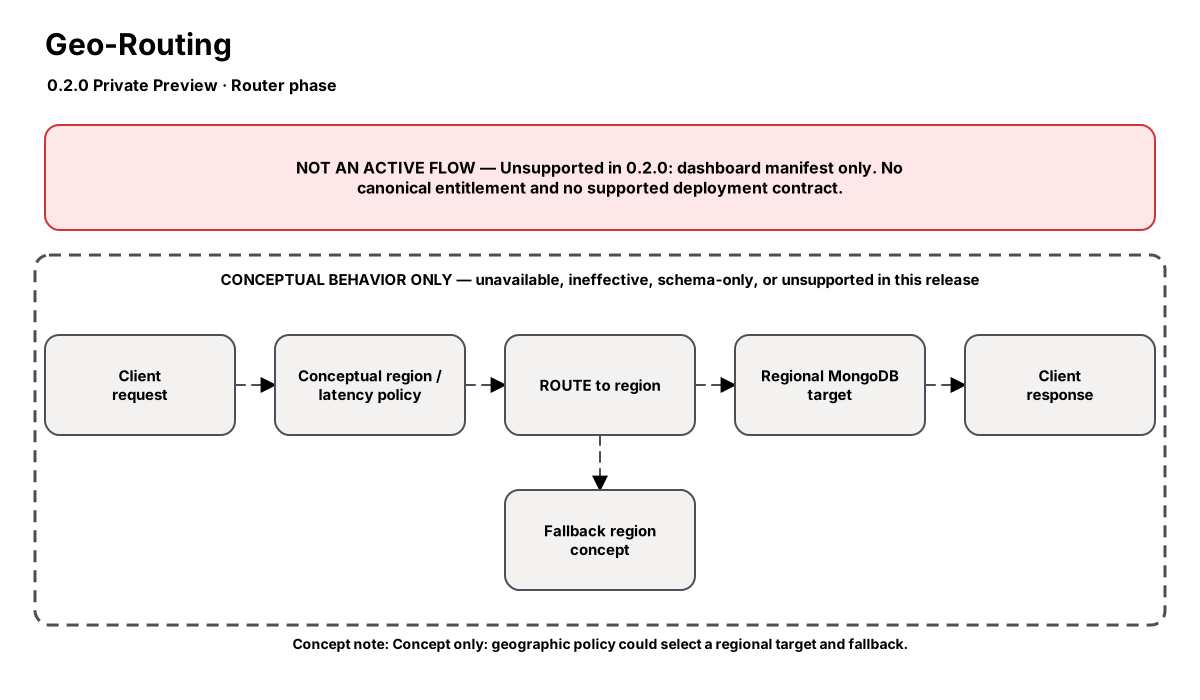
Release-aware feature flow. The diagram is explanatory; the release status on this page is authoritative.
Diagram resources: Open the SVG full screen · Download the editable Excalidraw source
Performance impact
:::warning Legacy, unverified performance claims
These numbers are preserved for documentation parity with the legacy dashboard. They are not current benchmarks or service guarantees and have not been verified by the current test suite.
:::
| Percentile | Legacy claim |
|---|---|
| P50 | <0.1ms |
| P95 | <0.3ms |
| P99 | <0.5ms |
Legacy note: Routing decision is a simple map lookup
Overview
The Geo-Routing step ensures data residency compliance by routing queries to the correct regional MongoDB cluster based on configurable detection rules. EU user data stays in EU clusters, US data in US clusters — enforced at the infrastructure level.
Cross-region queries can be blocked entirely, ensuring that no application bug can accidentally access data in the wrong jurisdiction.
When to use
- GDPR compliance — EU citizen data must stay in EU region
- Data sovereignty laws (China, Russia, Brazil, India)
- Multi-region deployments with strict data locality requirements
- Regulatory audits requiring proof of data residency enforcement
How it works
- Incoming query's region is determined (database name, IP geolookup, header, or user metadata)
- Region is mapped to a target cluster from the configuration
- Query is routed to the appropriate regional cluster
- If block_cross_region is enabled, queries to wrong region are rejected
- Routing decisions are logged for compliance audit
Configuration
The table preserves the legacy dashboard field reference. “Not specified” means the legacy source did not declare required semantics.
| Field | Legacy UI type | Legacy default | Required | Description |
|---|---|---|---|---|
regions | json | — | Not specified | Region-to-cluster mapping: {region, target, databases} |
detection_method | select | database | Not specified | How to determine request region |
header_name | string | — | Not specified | Region header name (for header method) |
default_region | string | US | Not specified | Fallback region |
block_cross_region | boolean | true | Not specified | Block queries to wrong region |
log_violations | boolean | true | Not specified | Log routing violations |
Settings reference
The legacy page did not render an additional anchored settings reference.
Examples
GDPR EU/US split
steps:
  - id: builtin:geo-routing
    config:
      detection_method: database
      block_cross_region: true
      log_violations: true
      regions:
        - region: EU
          target: mongo-eu-west-1:27017
          databases: [users_eu, orders_eu, analytics_eu]
        - region: US
          target: mongo-us-east-1:27017
          databases: [users_us, orders_us, analytics_us]
Best practices
- Use database naming conventions (suffix _eu, _us) for simplest detection
- Enable block_cross_region in production — log-only mode for testing
- Combine with audit step for compliance evidence
- Test with shadow traffic step before enforcing in production
Limitations
- GeoIP detection requires MaxMind database (not included, bring your own)
- Cross-region aggregations ($lookup across regions) are not supported
- header detection requires application cooperation to set the header
Security and operational guidance
- This is a legacy dashboard concept, not a canonically entitled Nexo component.
- No supported deployment contract, CRD mapping, Operator reconciliation path, or runtime execution guarantee is published.
- Treat every configuration example and performance number below as historical design material only.
Related steps
Release availability
- 0.2.0 Private Preview: Unsupported in 0.2.0: dashboard manifest only. No canonical entitlement and no supported deployment contract.
See the component catalog for the complete comparison matrix.